
How to Make a Favicon from a PNG (ICO Sizes and HTML Tag)
To make a favicon from a PNG, convert it to an ICO file that holds several icon sizes, upload it to your site's root as favicon.ico, and link it in the <head> of your pages. TypeorDrop's PNG to ICO converter makes one ICO with all six common sizes, 16, 32, 48, 64, 128 and 256 pixels, from a PNG, JPG or WebP of any size.
What size should a favicon be?
A favicon is shown in many places, and each one wants a different size:
| Size | Where it is used |
|---|---|
| 16 × 16 | Browser tabs, bookmarks and history on standard screens |
| 32 × 32 | Tabs on high-resolution screens, the Windows taskbar |
| 48 × 48 | Windows desktop shortcuts and site icons |
| 64 × 64 | Larger Windows shortcut views, high-resolution screens |
| 128 × 128 | Large icon views |
| 256 × 256 | Windows "large icons" view and high-resolution displays |
An ICO file is a container, so one favicon.ico can hold all of these, and each place picks the size it needs. The ICO that TypeorDrop makes always contains exactly these six sizes.
Start from a square logo that is at least 256 × 256 pixels, with a transparent background if you want the tab color to show around it. A simple shape works best: at 16 pixels, thin lines and small text disappear.
How to convert a PNG to ICO
- Open the PNG to ICO converter.
- Click Pick PNG File and choose your logo: a PNG, JPG or WebP file, up to 5 MB.
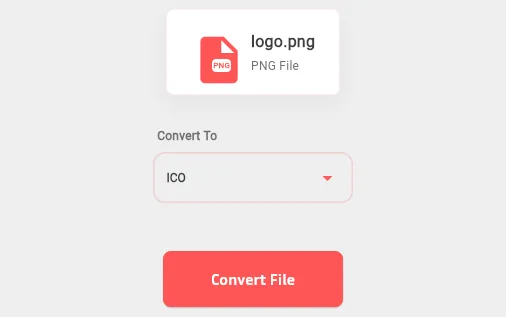
- ICO is already selected under Convert To. Click Convert File. The image is scaled to 256 pixels and then down to 128, 64, 48, 32 and 16, all saved in one ICO file.
- Download the result (for
logo.pngit is calledlogo.ico) and rename it tofavicon.ico.
What happens to your image on the way:
- Transparency is kept. A transparent PNG gives a transparent icon.
- Nothing is cropped. A logo that isn't square is centered on a transparent square as big as its longer side.
- Small images are enlarged to 256 pixels, never beyond. Enlarging can't add detail, so start from a bigger file if you have one.
- Animated images: only the first frame is used.
If you'd rather crop the logo to a square yourself first, use Crop Image or Resize Image, then convert. Starting from a JPG instead? The JPG to ICO converter works the same way, but JPG has no transparency.
Add the favicon to your website
Upload favicon.ico to the root folder of your site, so it opens at https://yoursite.com/favicon.ico. Browsers look there automatically, but it is better to say so in the <head> of every page:
<link rel="icon" href="/favicon.ico" sizes="any">You can add a PNG version for modern browsers and a larger icon for phones' home screens:
<link rel="icon" type="image/png" href="/favicon-32x32.png" sizes="32x32">
<link rel="apple-touch-icon" href="/apple-touch-icon.png">
The apple-touch-icon is usually a 180 × 180 PNG. On WordPress, Wix, Shopify and similar site builders you don't edit the HTML: upload the icon in the site settings, usually under Site Icon or Favicon.
ICO or PNG favicon: which is better?
Use both if you can.
- ICO is the classic format. Every browser supports it, old versions included, and it is the file browsers request at
/favicon.icowhen a page names no icon. One file covers every size. - PNG favicons work in all modern browsers and are easy to make, but you need a separate file and a separate
<link>tag for each size, and very old browsers ignore them.
A favicon.ico in the site root plus a PNG link in the <head> covers everything. If you ever need a PNG back from an ICO, use ICO to PNG.
Troubleshooting
The favicon doesn't show up. Browsers cache favicons for a long time. Open /favicon.ico directly in the browser to check that the new file is there, then reload your page with Ctrl+F5 (Cmd+Shift+R on a Mac), or open it in a private window.
The browser shows the old icon. Change the file name or add a version to the link, for example href="/favicon.ico?v=2", so the browser fetches it again.
The path is wrong. A relative path like href="favicon.ico" breaks on pages inside folders. Start the path with a slash: /favicon.ico.
The file is a renamed PNG. Renaming logo.png to favicon.ico doesn't make it an ICO file. Some browsers accept it, others don't. Convert it properly.
The icon looks blurry in the tab. The 16-pixel version can't show fine detail. Simplify the logo: use just the symbol or the first letter, with strong contrast.
FAQ
What size should a favicon be?
Browsers use 16 × 16 in tabs and 32 × 32 on high-resolution screens; Windows uses 48, 64 and 256 pixels for shortcuts and large icons. One ICO file can hold all of them, and the one TypeorDrop makes contains 16, 32, 48, 64, 128 and 256 pixels.
Can I upload a large PNG, like 1024 × 1024?
Yes. Any size works, as long as the file is under 5 MB. It is scaled down to each icon size.
Does the ICO keep my transparent background?
Yes. Transparent areas in a PNG or WebP stay transparent in every size of the ICO.
Do I still need a favicon.ico if I use PNG icons?
It is a good idea. Some browsers and tools still request /favicon.ico directly, whatever your HTML says, and a missing file shows up as an error in your server logs.
Is the PNG to ICO converter free?
Yes. You can run 2 jobs a day without an account and 10 a day with a free account. Uploaded files are deleted automatically within about 24 hours, and results after 7 days.
Related articles
- Social Media Image Sizes: Instagram, Facebook, YouTube and More
- The Best Free Online Image Tools, Compared Honestly